
Tips to Set Up Facebook Privacy Controls
Jun 12, 2018by editorial team and Sophia Ruan Gushée
With the integration of the internet into our lives, keeping children safe from online risks requires parents to have certain technological savvy. For example, social media sites, like Facebook, are more popular than ever.
Below are key things parents should know.
Basic things parents should know
To start, parents should know:
- Facebook has a minimum age limit of 13 to register for the social media service
- Those less than 18 years of age are not available in Facebook’s public search directory. However, their name, profile photo, gender, and networks can be seen by everyone through indirect searches via a child’s Facebook friend.
Why should parents control children’s Facebook privacy?
With so much information available on the internet, a public Facebook profile could make your child vulnerable to various online risks. Controlling your child’s Facebook privacy settings also makes it easier to determine who can and cannot send Facebook Friend requests to your child. This reduces the likelihood that your child will be cyber-stalked by bullies, or vulnerable to other negative influences (like predators), etc.
What your child posts online may exist be publicly available for a long time, perhaps indefinitely. Your child's digital footprint could be seen by university admissions, tutors, or future employers.
Have ongoing conversations with children about online dangers and risks, including the fact that activities they conduct online may be seen for decades to come. And while these conversations should be age appropriate, they can start from at least as young as when they start using digital devices.
What can parents do to control children’s Facebook privacy?
The first thing parents should do when setting up their children’s Facebook account is to become acquainted with the “Settings” tab. Facebook’s full list of settings, including its powerful privacy settings, can be accessed by clicking the triangle in the upper right hand corner of the Facebook website, as depicted below:

To change Facebook’s privacy settings, after you click on the “Settings” option, go to the left-hand corner of the next screen and click on “Privacy.”
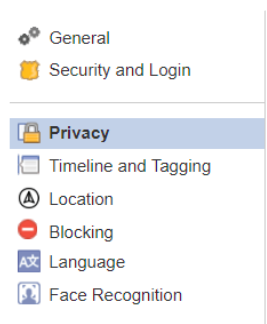
Once you click on the “Privacy” tab, this will enable you to go through Facebook’s Privacy Settings and Tools. Here is an example of a Facebook privacy scenario in which only friends of friends can send Facebook friend requests; nobody can see posts except Facebook friends; and search engines cannot link to the user’s profile.

The Facebook Block List
Facebook has a Block List function which enables users to block other Facebook users from sending them friend requests, seeing their Facebook activity, and otherwise contacting them. To add a user to your child’s Block List, choose the “Block” function in Facebook settings.

To block a specific user, search for them using their name or email in the “Block Users” textbook on the “Manage Blocking” page.
Applications, Games, and Websites
Many websites and apps require a Facebook account with which the user can log in to access the website or application. To manage applications and websites that your child uses on Facebook, go to the “Apps and Websites” tab on the Facebook Settings page. In the below example, no apps and websites are linked to the Facebook account.
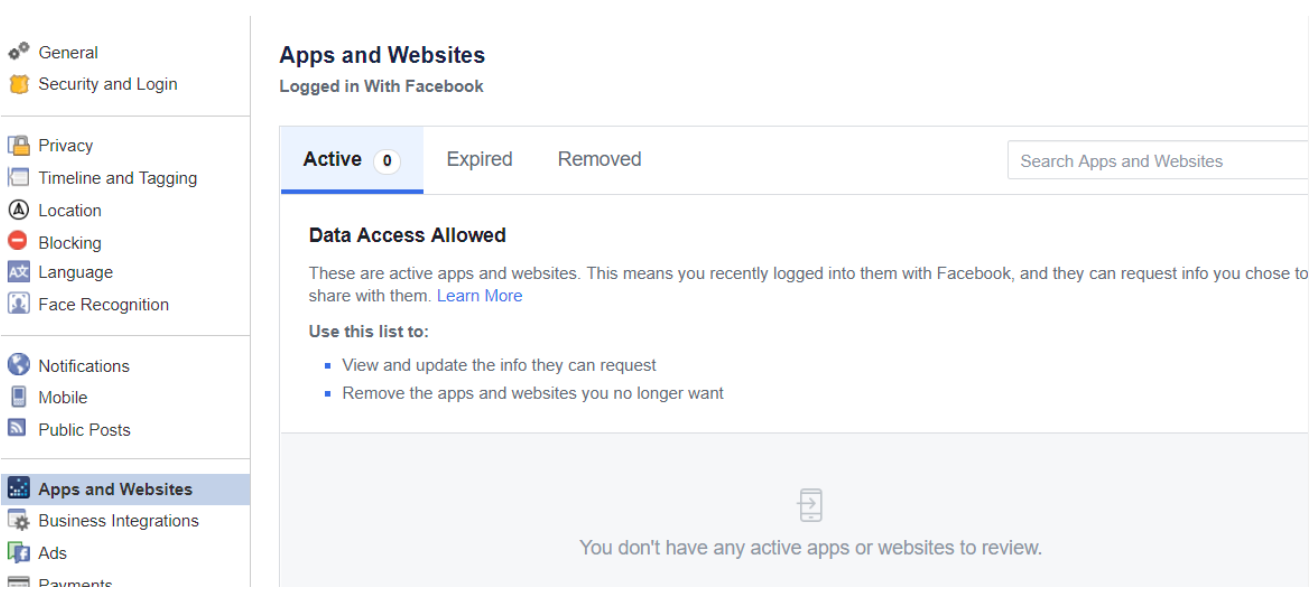
There, you should be able to view and update the data that apps and websites can request from your child’s Facebook profile, as well as revoke access from apps and websites.
More general features to avoid on Facebook
To further protect your children on the web, you should disable location services and you may want to revoke access to the microphone and camera for additional security. This will disable the use of features such as Facebook Live which enable users to “go live” with real-time video streaming through the Facebook App.
You may also wish to go through smartphones' camera settings and other social media apps (such as Twitter) and disable location services. This will ensure that when you post a photo to social media, its location will not be traceable, which can be very dangerous.
Join Us
Join our support community by subscribing below. We'll keep you updated on the best ways to maintain a healthy relationship with technology.